
Total Commander for Mac? Here is the alternative
Schnellbild is a free Mac app for the pictures and videos in your folders: open a folder and its thumbnails are there, one key shows a picture large. It plays MKV, AVI and WebM, opens ZIP and RAR archives like folders, and works without an account and without network access.
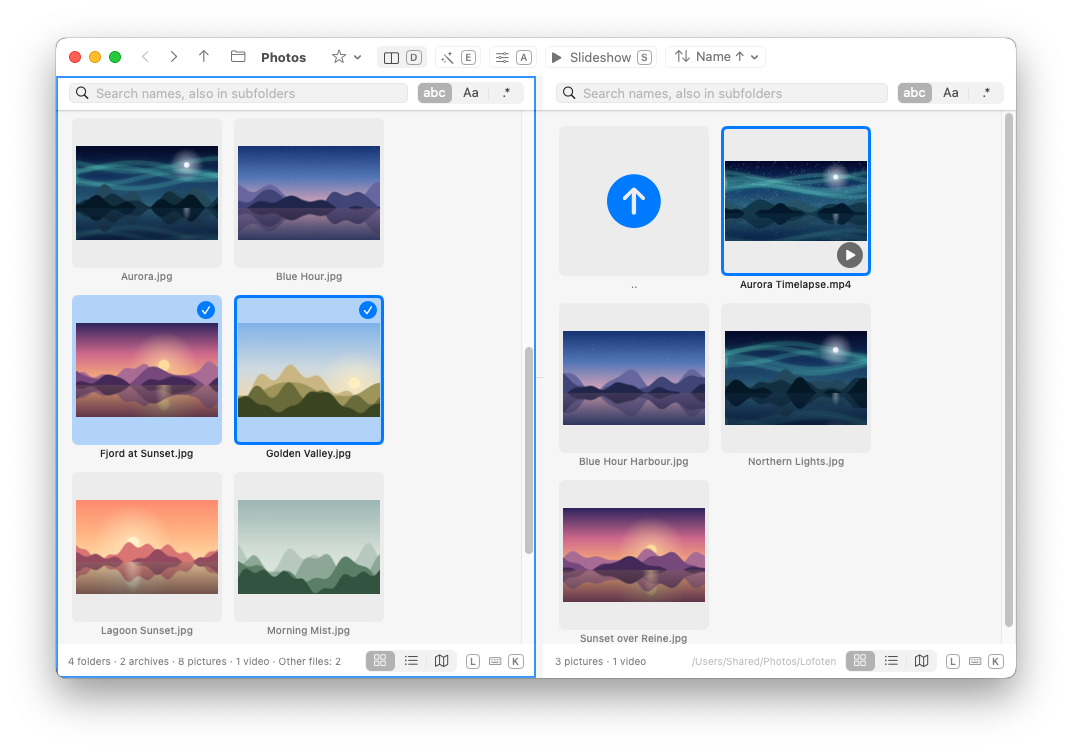
Schnellbild instead of Total Commander?
Schnellbild isn't a file manager. It is a viewer with two panes: F5 copies and F6 moves the marked pictures into the other pane, and both can be undone. Two panes, function keys, a muscle memory older than some of your colleagues. Then came the Mac, and Total Commander wasn't let in.
What Total Commander fans like, and how it works in Schnellbild
- Page through with the keyboard: Space opens a picture, ← → page through the folder.
- Browses folders directly, no import: Open a folder with ⌘O or drop it on the window.
- Thumbnail grid with folder previews: Folders show their first pictures; folders without any are greyed out.
- HEIC, AVIF, JPEG XL, WebP: Through macOS's own ImageIO.
- Camera RAW: The RAW formats macOS knows, developed by macOS.
- Animated GIF, PNG, WebP: They play, and zoom and turn like any picture.
- Zoom, pan, rotate (view only): + − or a pinch to zoom, ⌥← ⌥→ to turn; the file stays as it is.
- ZIP, RAR, 7z open like folders: Opened like folders, nothing unpacked to disk.
Where Total Commander stays ahead
- Dual-pane file management: sync dirs, compare, multi-rename, checksums
- Built-in FTP/FTPS client
- Huge plugin ecosystem (Lister, packer, file system plugins)
- Lister player switches subtitle/audio streams and speed
- Runs on Windows from 95 to 11, plus a free Android app
Left out on purpose
- Loads subtitle files lying next to the video: Reads only the video itself, nothing lying next to it.
- Audio files, music mode: Pictures and videos only; audio files open in their own app.
- Batch convert or rename: Converting and renaming in batches is left to other apps.
- Library, catalog, tags, ratings: Folders instead of a library: nothing to import.
- Cloud sync, sharing online: Never goes online, on principle.
What Total Commander is good at
The best-known orthodox (two-panel) file manager for Windows, developed since 1993. It is strong on file operations, archives, FTP, multi-rename and directory sync, with the Lister viewer and plugins for images and media.

Try it with your own folders.
Free, no account, every feature included.
Similar alternatives
Total Commander is a product of Ghisler Software. All names and trademarks belong to their owners; Schnellbild is not affiliated with them.