
Windows Media Player for Mac? Here is the alternative
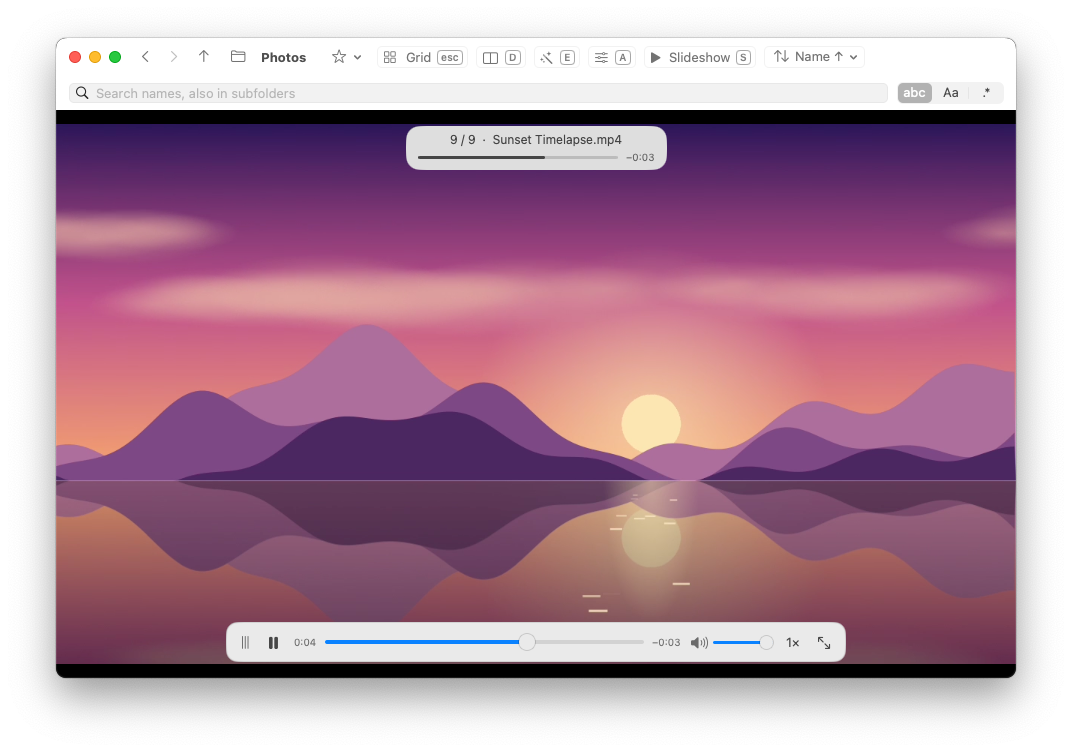
Schnellbild is a free Mac app for the pictures and videos in your folders: open a folder and its thumbnails are there, one key shows a picture large. It plays MKV, AVI and WebM, opens ZIP and RAR archives like folders, and works without an account and without network access.
Schnellbild instead of Windows Media Player?
Schnellbild isn't a full media player. It shows the videos of a folder as thumbnails next to the photos, plays MKV, AVI and WebM, and the arrow keys skim through a video a tenth at a time. New Mac, same videos, and Windows Media Player is the one thing that didn't make the move. Your MKV files are still waiting to be played.
What Windows Media Player fans like, and how it works in Schnellbild
- Page through with the keyboard: Space opens a picture, ← → page through the folder.
- Zoom, pan, rotate (view only): + − or a pinch to zoom, ⌥← ⌥→ to turn; the file stays as it is.
- Plays MKV, WebM, AVI, WMV, FLV: Through the built-in VLC engine.
- Subtitles from inside the video: V turns them on and off, ⌃⌘S picks the track; switched on halfway, the running line shows at once, and ASS keeps its styles.
- Choose the audio track: ⌃⌘A or the control bar.
- Playback speed: < and > from 0.5× to 2×, the voices keep their pitch.
- Skim videos with the arrow keys: ← → jump a tenth of the video, with ⇧ a hundredth.
- File info: EXIF, codecs, bitrate: I shows format, camera, codecs and bitrate, where it was taken on a small map, and every metadata key.
Where Windows Media Player stays ahead
- Preinstalled on Windows, nothing to set up
- Music library with album art, playlists and CD ripping
- Mini player, casting to devices
- Follows Windows caption and theme settings
Left out on purpose
- Loads subtitle files lying next to the video: Reads only the video itself, nothing lying next to it.
- Saved playlists: Folders instead of playlists: the slideshow makes the list.
- Picture in Picture: Made for looking through folders; for watching on the side, a video player fits better.
- Audio files, music mode: Pictures and videos only; audio files open in their own app.
- Batch convert or rename: Converting and renaming in batches is left to other apps.
- Library, catalog, tags, ratings: Folders instead of a library: nothing to import.
What Windows Media Player is good at
Windows' built-in player: a music-first library app that also plays local videos, with subtitles, audio tracks, playback speed, image adjustments, mini player and casting. It needs paid or Store add-ons for HEVC and AV1, and reviewers find it slower and heavier than the classic Windows Media Player Legacy, which Microsoft keeps as an optional feature.

Try it with your own folders.
Free, no account, every feature included.
Similar alternatives
Windows Media Player is a product of Microsoft. All names and trademarks belong to their owners; Schnellbild is not affiliated with them.