
A free 看图 Kantu alternative for Mac
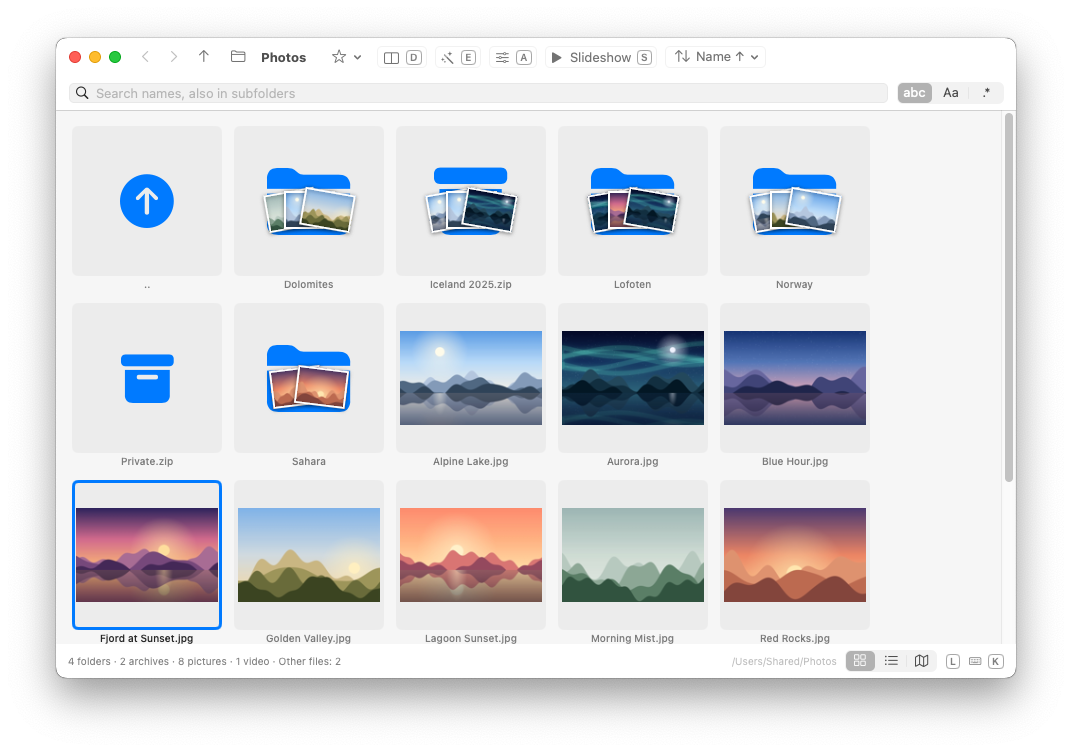
Schnellbild is a free Mac app for the pictures and videos in your folders: open a folder and its thumbnails are there, one key shows a picture large. It plays MKV, AVI and WebM, opens ZIP and RAR archives like folders, and works without an account and without network access.
Schnellbild instead of 看图 Kantu?
Schnellbild has no library: it shows the photos and videos where they lie on disk, with the date taken and the place from their metadata, and nothing is uploaded. Schnellbild and 看图 Kantu side by side: what each does better, then every feature with a source.
Where 看图 Kantu is stronger
- Face recognition, places map, duplicates finder, curated albums
- Imports straight from phones, cameras and PTP devices
- Ratings and filters for big files
Where Schnellbild is stronger
- ZIP, RAR, 7z open like folders
- Auto enhance and sliders without changing the file
- Skim videos with the arrow keys
- Open source
- Never goes online
What 看图 Kantu is good at
Tencent's free Mac picture browser and organiser: browses folders such as Downloads without import, imports from phones and cameras, groups by faces, places and dates, finds duplicates and makes curated albums. It hasn't been updated since 2019.
Feature by feature
- Yes
- Partly
- No
- Left out on purpose
- Does not apply
| Feature | Schnellbild | 看图 Kantu |
|---|---|---|
| Basics | ||
| Free, every feature | Yes | Yes12 |
| Open source | Yes | No1 |
| Native on Apple silicon | YesApple silicon only | No1 |
| No account, no ads, no tracking | Yes | Partly1No account needed; optional WeChat or QQ login uploads albums to Tencent's cloud |
| Light or dark, apart from the system | Yes | Partly1Dark mode since 2.0 (Mojave); a setting apart from the system isn't documented |
| Interface in many languages | Yes20 languages | No1 |
| Browsing | ||
| Browses folders directly, no import | Yes | Yes21 |
| Thumbnail grid with folder previews | Yes | Partly2Photo-style grid, sidebar shows picture count per folder; folder preview tiles not shown |
| Search names through all subfolders | Yes | Partly12.5: find pictures by file name, date, place, scene across its locations |
| Folder bookmarks | Yes | Partly21Locations added by hand in the sidebar; favourites for pictures |
| Pictures | ||
| HEIC, AVIF, JPEG XL, WebP | Yes | Partly1WebP since 1.9.4; HEIC, AVIF, JPEG XL not mentioned |
| Camera RAW | Yesthe models macOS knows | Yes1 |
| PSD, OpenEXR | Yes | Partly1PSD preview (1.9.3); EXR not mentioned |
| Animated GIF, PNG, WebP | Yes | Partly1GIF preview (1.9.3); APNG/animated WebP not mentioned |
| Page through with the keyboard | Yes | Yes21 |
| Zoom, pan, rotate (view only) | Yes | Partly1Zoom with wheel/trackpad; reviewers report blurry zoom; rotation not documented |
| Slideshow | Yes | Yes1 |
| Slideshow through all subfolders, photos and videos mixed | Yes | Partly1Curated albums play photos and videos in a row (2.5); not a walk through subfolders |
| Auto enhance and sliders without changing the file | Yes | No2 |
| File info: EXIF, codecs, bitrate | Yes | Partly1EXIF view (1.9); no video codec info |
| Videos | ||
| Plays MP4, MOV | Yes | Partly1Lists and filters videos, but a user review says each video opens a separate player |
| Photos and videos together in one grid | Yes | Yes12 |
| Skim videos with the arrow keys | Yes | No1 |
| Subtitles from inside the video | Yes | No1 |
| Loads subtitle files lying next to the video | Left out on purposeReads only the video itself, nothing lying next to it. | No1 |
| Choose the audio track | Yes | No1 |
| Playback speed | Yes | No1 |
| Control bar that stays where you put it | Yes | No1 |
| Playlist | Yesmade on the fly from the slideshow, not saved | No1 |
| Saved playlists | Left out on purposeFolders instead of playlists: the slideshow makes the list. | No1 |
| Picture in Picture | Left out on purposeMade for looking through folders; for watching on the side, a video player fits better. | No1 |
| Plays streams and addresses from the internet | Left out on purposeNever goes online, on principle. | No1 |
| Downloads subtitles from the internet | Left out on purposeNever goes online, on principle. | No1 |
| Video adjustments (brightness, contrast …) | Yes | No1 |
| Archives and comics | ||
| ZIP, RAR, 7z open like folders | Yes | No1 |
| Files | ||
| Rename, trash, new folder | Yes | Partly12Rename, delete with a Recently Deleted bin; new folder not documented |
| Move and copy by dragging into folders | Yes | Yes2 |
| Undo renames, moves, trash | Yes | Partly1Deleted pictures can be restored from Recently Deleted (1.9.1) |
| Edits images (crop, resize, save) | Left out on purposeShows pictures without changing them: your files stay as they are. | Partly21No editing (sspai); right-click entry to annotate (1.9) |
| Batch convert or rename | Left out on purposeConverting and renaming in batches is left to other apps. | No21 |
| Library, catalog, tags, ratings | Left out on purposeFolders instead of a library: nothing to import. | Yes12 |
| Cloud sync, sharing online | Left out on purposeNever goes online, on principle. | Partly12.3/2.5: WeChat/QQ login, upload curated albums to Tencent cloud, share via WeChat mini program |
| Safety | ||
| Runs in Apple's App Sandbox | Yes | Yes1 |
| Never goes online | Yes | No1 |
| Notarized, provably built from public source | Yes | Partly1Signed through the Mac App Store; no public source |
| In the Mac App Store | Partlysoon, €0.99 to support it | Yes1 |
As of November 2026: 看图 Kantu 2.5.2, Schnellbild 0.12. 看图 Kantu's column comes from the sources below, Schnellbild's from its README and source code. Left out for lack of a reliable source on 看图 Kantu: 19 of 65 features.
Sources

Try it with your own folders.
Free, no account, every feature included.
Similar alternatives
看图 Kantu (Tencent) is a product of Tencent. All names and trademarks belong to their owners; Schnellbild is not affiliated with them.