
NeeView for Mac? Here is the alternative
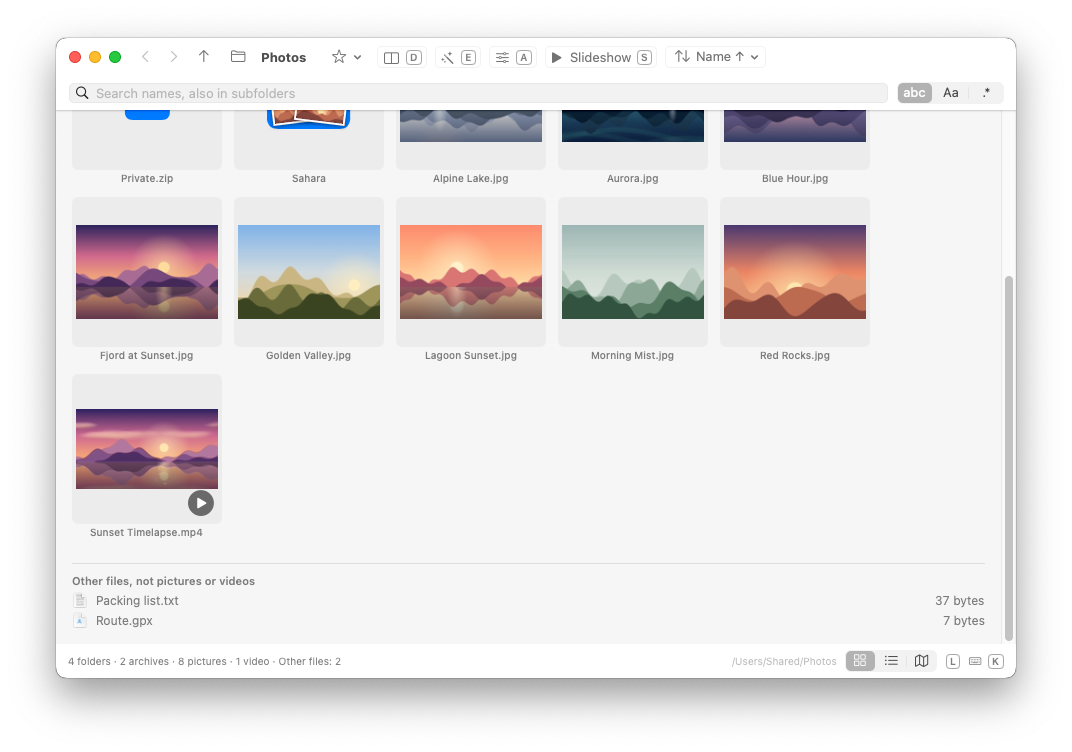
Schnellbild is a free Mac app for the pictures and videos in your folders: open a folder and its thumbnails are there, one key shows a picture large. It plays MKV, AVI and WebM, opens ZIP and RAR archives like folders, and works without an account and without network access.
Schnellbild instead of NeeView?
Schnellbild opens CBZ, CBR, ZIP, RAR and 7z like folders, without unpacking anything to disk, and you page through them with the arrow keys. Your comics made the trip to the Mac without a complaint. NeeView didn't come along.
What NeeView fans like, and how it works in Schnellbild
- Page through with the keyboard: Space opens a picture, ← → page through the folder.
- Browses folders directly, no import: Open a folder with ⌘O or drop it on the window.
- Thumbnail grid with folder previews: Folders show their first pictures; folders without any are greyed out.
- HEIC, AVIF, JPEG XL, WebP: Through macOS's own ImageIO.
- Camera RAW: The RAW formats macOS knows, developed by macOS.
- Animated GIF, PNG, WebP: They play, and zoom and turn like any picture.
- Zoom, pan, rotate (view only): + − or a pinch to zoom, ⌥← ⌥→ to turn; the file stays as it is.
- ZIP, RAR, 7z open like folders: Opened like folders, nothing unpacked to disk.
Where NeeView stays ahead
- Every action configurable: commands, gestures, JavaScript scripting
- Two-page spread with right-to-left reading and page splitting
- Nested archives and archive passwords (via 7z.dll)
- Saved playlists, history and search with date/size/regex operators
- Image effects panel, printing, export as ZIP/folder
- Microsoft Store and portable ZIP builds
Left out on purpose
- Saved playlists: Folders instead of playlists: the slideshow makes the list.
- Audio files, music mode: Pictures and videos only; audio files open in their own app.
- Two-page spread, right-to-left manga mode: One picture at a time, as large as the window.
- Edits images (crop, resize, save): Shows pictures without changing them: your files stay as they are.
- Library, catalog, tags, ratings: Folders instead of a library: nothing to import.
What NeeView is good at
Book-style viewer for Windows that treats folders and archives as books and images as pages. Very configurable: every action is a command with its own keys, mouse gestures and scripts, plus bookshelf, bookmarks, playlists and two-page manga spreads. Videos play through Windows or an installed VLC.

Try it with your own folders.
Free, no account, every feature included.
Similar alternatives
NeeView is a product of neelabo. All names and trademarks belong to their owners; Schnellbild is not affiliated with them.