
Microsoft Photos for Mac? Here is the alternative
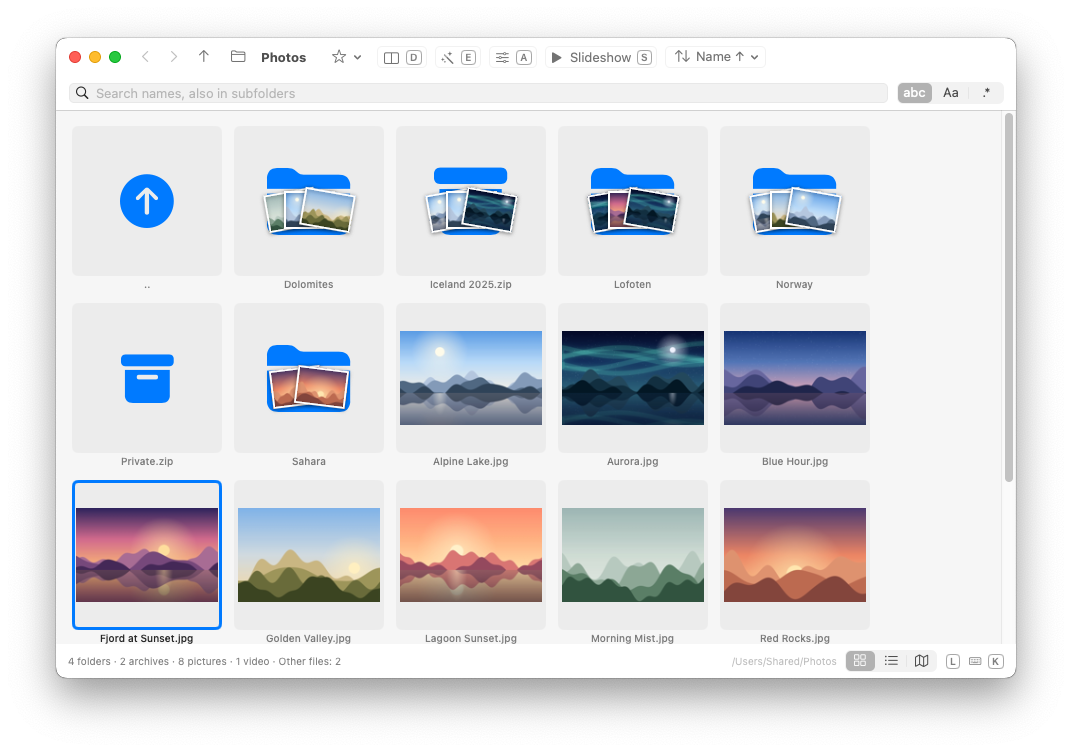
Schnellbild is a free Mac app for the pictures and videos in your folders: open a folder and its thumbnails are there, one key shows a picture large. It plays MKV, AVI and WebM, opens ZIP and RAR archives like folders, and works without an account and without network access.
Schnellbild instead of Microsoft Photos?
Schnellbild has no library: it shows the photos and videos where they lie on disk, with the date taken and the place from their metadata, and nothing is uploaded. Your pictures moved to the Mac. Microsoft Photos stayed at home.
What Microsoft Photos fans like, and how it works in Schnellbild
- Page through with the keyboard: Space opens a picture, ← → page through the folder.
- Browses folders directly, no import: Open a folder with ⌘O or drop it on the window.
- Thumbnail grid with folder previews: Folders show their first pictures; folders without any are greyed out.
- HEIC, AVIF, JPEG XL, WebP: Through macOS's own ImageIO.
- Camera RAW: The RAW formats macOS knows, developed by macOS.
- Animated GIF, PNG, WebP: They play, and zoom and turn like any picture.
- Zoom, pan, rotate (view only): + − or a pinch to zoom, ⌥← ⌥→ to turn; the file stays as it is.
- Slideshow: S starts it, Space pauses.
Where Microsoft Photos stays ahead
- Preinstalled on every Windows PC
- OneDrive and iCloud photos in one Gallery
- AI editing: object removal, Relight, super resolution on Copilot+ PCs
- People, Albums, Moments and natural-language search
- Slideshow with soundtracks
- Multi-view comparison
Left out on purpose
- Edits images (crop, resize, save): Shows pictures without changing them: your files stay as they are.
- Library, catalog, tags, ratings: Folders instead of a library: nothing to import.
- Cloud sync, sharing online: Never goes online, on principle.
What Microsoft Photos is good at
The photo and video app built into Windows: a Gallery timeline across PC folders, OneDrive and iCloud, a fast viewer that pages through a folder, and an editor with AI tools. Good for casual browsing and quick edits; Photos Legacy keeps the older video editor and slideshow maker. No archives, no file-manager features.

Try it with your own folders.
Free, no account, every feature included.
Similar alternatives
Microsoft Photos is a product of Microsoft. All names and trademarks belong to their owners; Schnellbild is not affiliated with them.