
A free ACDSee alternative for Mac
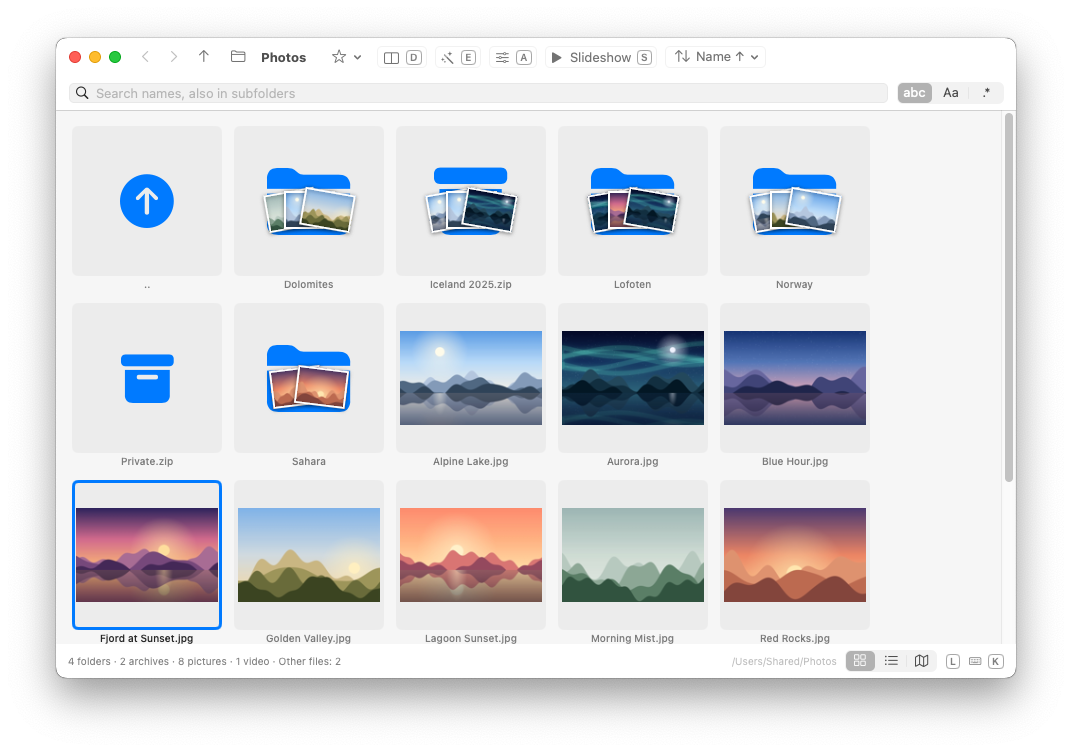
Schnellbild is a free Mac app for the pictures and videos in your folders: open a folder and its thumbnails are there, one key shows a picture large. It plays MKV, AVI and WebM, opens ZIP and RAR archives like folders, and works without an account and without network access.
Schnellbild instead of ACDSee?
Schnellbild has no library: it shows the photos and videos where they lie on disk, with the date taken and the place from their metadata, and nothing is uploaded. Schnellbild and ACDSee side by side: what each does better, then every feature with a source.
Where ACDSee is stronger
- Full DAM: ratings, keywords, categories, faces, AI keywords and image similarity
- Non-destructive RAW editing with AI masking
- Batch rename, resize, convert, metadata
- Duplicate finder
- Generative AI editing
- Windows: ZIP/RAR browsing and video metadata
Where Schnellbild is stronger
- Free, every feature
- Comic books CBZ, CBR
- Open source
- Never goes online
What ACDSee is good at
Long-standing photo DAM and RAW editor that works on existing folders without import: catalog database, ratings, keywords, AI faces and keywords, non-destructive Develop mode and batch tools. The Windows editions also play common videos and browse ZIP/RAR archives; the Mac edition is more limited there. Paid, aimed at photographers who manage and edit.
Feature by feature
- Yes
- Partly
- No
- Left out on purpose
- Does not apply
| Feature | Schnellbild | ACDSee |
|---|---|---|
| Basics | ||
| Free, every feature | Yes | No12 |
| Open source | Yes | No1 |
| Native on Apple silicon | YesApple silicon only | Yes31 |
| No account, no ads, no tracking | Yes | Partly12Activation and subscriptions need an acdID e-mail and internet; AI runs on the device |
| Interface in many languages | Yes20 languages | Partly24Mac App Store: English, French, German, Japanese; Windows website in 10 languages |
| Browsing | ||
| Browses folders directly, no import | Yes | Yes12 |
| Thumbnail grid with folder previews | Yes | Yes3 |
| Search names through all subfolders | Yes | Yes53 |
| Quick on network shares and big folders | Yes | Partly3Shows network volumes without importing; Indexer catalogs while idle |
| Several windows | Yes | Partly35Tabs in one window, kept between sessions |
| Folder bookmarks | Yes | Partly53Tabs, saved searches; Windows: up to five image baskets |
| Pictures | ||
| HEIC, AVIF, JPEG XL, WebP | Yes | Yes63 |
| Camera RAW | Yesthe models macOS knows | Yes42 |
| PSD, OpenEXR | Yes | Partly6PSD yes; OpenEXR not listed |
| SVG and PDF | Yes | Partly63SVG on Windows; PDF viewing only in Windows Professional/Ultimate; Mac opens PDFs in Quick Look |
| Animated GIF, PNG, WebP | Yes | Partly6Animated GIF and WebP; animated AVIF not supported |
| Page through with the keyboard | Yes | Yes3 |
| Zoom, pan, rotate (view only) | Yes | Yes3 |
| Auto enhance and sliders without changing the file | Yes | Yes32 |
| File info: EXIF, codecs, bitrate | Yes | Yes53 |
| Videos | ||
| Plays MP4, MOV | Yes | Partly63Windows plays MP4/MOV/M4V/AVI/WMV in View mode; Mac shows videos in Quick Look |
| Plays MKV, WebM, AVI, WMV, FLV | Yesbuilt-in VLC engine | Partly6Windows: AVI, WMV, ASF; no MKV, WebM, FLV |
| Photos and videos together in one grid | Yes | Yes35 |
| Audio files, music mode | Left out on purposePictures and videos only; audio files open in their own app. | Partly6Windows reads MP3, WAV, WMA, M4A |
| Archives and comics | ||
| ZIP, RAR, 7z open like folders | Yes | Partly6Windows: ZIP, RAR (not RAR5), TAR, GZ, TGZ, CAB, ARJ; no 7z; not on Mac |
| Comic books CBZ, CBR | Yes | No6 |
| Files | ||
| Rename, trash, new folder | Yes | Yes32 |
| Edits images (crop, resize, save) | Left out on purposeShows pictures without changing them: your files stay as they are. | Yes35 |
| Batch convert or rename | Left out on purposeConverting and renaming in batches is left to other apps. | Yes25 |
| Library, catalog, tags, ratings | Left out on purposeFolders instead of a library: nothing to import. | Yes35 |
| Cloud sync, sharing online | Left out on purposeNever goes online, on principle. | Partly35iCloud Drive (Mac), OneDrive (Windows), SendPix sharing, Mobile Sync |
| Keyboard | ||
| Everything by keyboard | Yes | Partly3Metadata entry and culling by keyboard; mouse-heavy elsewhere |
| Your own keyboard shortcuts | Yesfree, with a preset as in Phiewer | Yes35 |
| Safety | ||
| Runs in Apple's App Sandbox | Yes | Partly2Mac App Store edition (a Store requirement); direct download not documented |
| Never goes online | Yes | No1 |
| Notarized, provably built from public source | Yes | No1 |
| In the Mac App Store | Partlysoon, €0.99 to support it | Yes2 |
As of November 2026: ACDSee Mac 26.0.3 (Mac 27 late Nov 2026); Windows 2027, Schnellbild 0.12. ACDSee's column comes from the sources below, Schnellbild's from its README and source code. Left out for lack of a reliable source on ACDSee: 28 of 65 features.
Sources

Try it with your own folders.
Free, no account, every feature included.
Similar alternatives
ACDSee Photo Studio is a product of ACD Systems. All names and trademarks belong to their owners; Schnellbild is not affiliated with them.